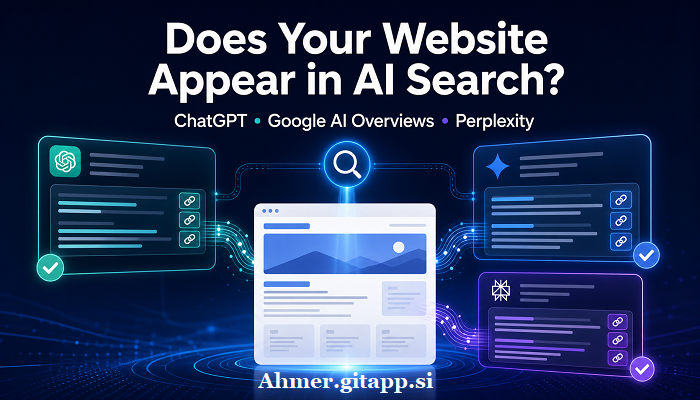
How to Check If Your Website Appears in ChatGPT, Google AI Overviews, and Perplexity
How to Check If Your Website Appears in ChatGPT, Google AI Overviews, and Perplexity
A website “appears” in AI search when the platform shows a link to one of its pages as a source or supporting result. A brand mention without a link is not the same as a citation. A crawler visit also does not prove that users can see the site in an AI answer.
The most reliable checking method is different for each platform:
- Google: Use the Generative AI performance report in Google Search Console.
- ChatGPT: Inspect citations and Sources in live web-search answers, then check referral data for
utm_source=chatgpt.com. - Perplexity: Run neutral searches and inspect the numbered citations and source links.
Use manual checks together with first-party data. A single search is only a snapshot because AI answers can change by query wording, date, location, account, device, and available sources.
What Counts as AI Search Visibility?
Before testing, separate four different signals.
| Signal | What it means | Does it prove visibility? |
|---|---|---|
| Your brand is named | The answer mentions your business or website | No, not unless it links to your site |
| Your URL is cited | The answer includes a source link to your domain | Yes, for that answer at that time |
| An AI crawler visits | A crawler requested one or more pages | No; it only proves access or discovery |
| A visitor arrives from an AI platform | Someone clicked a source link and reached your site | Yes, but it does not count citations that received no click |
For a clean audit, record linked citations separately from unlinked brand mentions.
Prepare Queries Before You Start
Do not test only your company name. Branded searches show whether a platform can find your business, but they do not show whether the site appears for ordinary customer questions.
Create a list of 15 to 30 queries in these groups:
Branded queries
Example: “What services does Example Company provide?”Product or service queries
Example: “Best accounting software for a small construction company.”Problem-based questions
Example: “How can a small business reduce late invoice payments?”Comparison queries
Example: “Option A vs Option B for remote teams.”Local queries, if relevant
Example: “Emergency plumber in Manchester open on Sunday.”Questions answered by specific pages
Use topics covered by your guides, research, product pages, documentation, or case studies.
Write natural questions that real users may ask. Do not include your domain in non-branded test queries because that forces the platform toward your site and does not measure normal discovery.
How to Check Google AI Overviews
1. Use Google Search Console’s Generative AI Report
Google’s official Generative AI performance report is the strongest first-party evidence that links from your site appeared in Google’s generative AI features. Google says these insights were rolled out worldwide as of August 31, 2026.
Open Google Search Console and follow these steps:
- Select the correct website property.
- Open the Generative AI performance report.
- Choose a useful date range, such as the last 28 days or last three months.
- Review total impressions.
- Open the Pages view to find URLs that appeared.
- Check Countries, Devices, and Dates for additional context.
- Export the report if you want to compare periods or save a record.
An impression means a link to your site was shown to a user in a supported Google generative AI feature. The report includes impressions from AI Overviews and AI Mode. It does not list the exact user queries in its documented dimensions, and it does not provide a documented split between AI Overviews and AI Mode. Treat it as proof of Google generative AI visibility, not as a complete prompt-level citation report.
If the report is missing or empty, possible reasons include:
- The site has not received enough generative AI impressions.
- The selected date range has no eligible activity.
- The property is excluded from Google’s generative AI features.
- The pages are not indexed or are not eligible to appear with a snippet.
Check Settings > Search generative AI in Search Console. The property must be included if you want its links and content to be eligible for AI Overviews, AI Mode, and supported generative AI features in Discover.
2. Run Manual Google Checks
Search your prepared questions on Google and look for an AI Overview. If one appears:
- Read the visible response.
- Expand the supporting links or source panels.
- Look for your exact domain.
- Open the link and confirm that it points to the correct page.
- Save the query, date, country, device, cited URL, and a screenshot.
Do not count a normal blue search result as an AI Overview citation. Also remember that AI Overviews do not appear for every query. Google states that they are shown only when its systems decide they add value beyond ordinary search results.
Manual checks may produce different results for different users. Use them to understand individual queries, not to replace Search Console data.
3. Confirm Google Eligibility
According to Google, a page must be indexed and eligible to appear in Search with a snippet before it can be shown as a supporting link in AI Overviews or AI Mode. There is no special AI schema required.
Use the URL Inspection tool in Search Console to check an important page. Confirm that:
- Googlebot is not blocked.
- The page returns HTTP 200.
- Google can index the page.
- The correct canonical URL is selected.
- The page is eligible to show a text snippet.
- The content is visible without requiring a login.
The noindex rule prevents the page from appearing in Google Search. The nosnippet rule also prevents page content from being used as a direct input for AI Overviews and AI Mode. A restrictive max-snippet rule can limit how much content Google may use.
Meeting these requirements creates eligibility, not a guarantee of inclusion.
How to Check If Your Website Appears in ChatGPT
1. Test ChatGPT Search With Neutral Prompts
Use ChatGPT’s web-search feature and enter the non-branded questions from your test list. For every response:
- Check whether the answer used web search.
- Open each inline citation.
- Select Sources, when available.
- Look for your domain and exact page URL.
- Confirm that the cited page supports the nearby claim.
- Record the prompt, date, cited URL, and response link or screenshot.
Count the result only when ChatGPT links to your domain. If it names your brand without a source link, record it as an unlinked mention.
Do not start with prompts such as “Use example.com to answer this question.” That tests whether ChatGPT can retrieve a named source. It does not show whether the site would be selected naturally.
OpenAI warns that web citations can be incomplete, outdated, or incorrect. Always open a citation and check that the linked page genuinely supports the answer.
2. Check ChatGPT Referral Traffic
OpenAI states that referral URLs from ChatGPT search automatically include:
textutm_source=chatgpt.com
In your analytics platform, filter landing-page sessions or traffic acquisition data for this parameter. You can also check for chatgpt.com in referral or source data.
A recorded visit proves that someone clicked from ChatGPT to your website. However, no referral traffic does not prove zero visibility. A page may be cited without receiving a click, and analytics settings, consent controls, redirects, or privacy tools can affect attribution.
3. Confirm ChatGPT Search Access
OpenAI uses OAI-SearchBot to surface websites in ChatGPT search. Its search crawler is separate from GPTBot, which is associated with possible model-training use.
A basic robots.txt permission can look like this:
textUser-agent: OAI-SearchBot
Allow: /
Also confirm that your hosting provider, CDN, firewall, or bot-protection system allows requests from OpenAI’s current published SearchBot IP ranges. Do not rely on the user-agent name alone when verifying crawler traffic because it can be copied.
Check server or CDN logs for verified OAI-SearchBot requests and their HTTP status codes. A successful request confirms crawl access, but it does not prove that the page was cited in an answer.
Allowing OAI-SearchBot while blocking GPTBot is possible because OpenAI treats these controls independently.
How to Check If Your Website Appears in Perplexity
1. Inspect Perplexity Citations
Run the same neutral queries in Perplexity. Its answers normally include numbered citations and source links.
For each result:
- Open every citation connected to the relevant statement.
- Look for your domain.
- Confirm the exact destination URL.
- Check whether the cited page supports the statement.
- Record the query, date, cited page, answer mode, and screenshot or share link.
Test both branded and non-branded queries, but report them separately. A brand query tests direct discovery. A non-branded query shows whether Perplexity selects the site while answering a broader topic.
Perplexity performs web searches when users ask questions, so source selection can change as its index, models, and available web information change. One successful citation proves visibility only for that result and time.
2. Check Analytics and Server Logs
Look in your analytics for visits identified as referrals from Perplexity. Also review server logs for landing-page requests that followed Perplexity activity.
Referral visits prove clicks, not total citation volume. Many users may read an answer without opening its sources, so traffic should not be used as the only visibility measure.
3. Confirm Perplexity Crawler Access
Perplexity documents two relevant user agents:
- PerplexityBot: Crawls content so websites can be surfaced and linked in Perplexity search results.
- Perplexity-User: May fetch a page in response to a user request.
A robots.txt configuration may include:
textUser-agent: PerplexityBot
Allow: /

User-agent: Perplexity-User
Allow: /
Perplexity says Perplexity-User generally ignores robots.txt because the fetch is initiated by a user. If a firewall or WAF blocks the request, the page may still be inaccessible. Perplexity recommends checking both the user-agent and its current official IP ranges when creating WAF rules.
Crawler access is a technical prerequisite for reliable discovery, not evidence of a visible citation.
Use a Repeatable Testing Process
AI answers are not fixed rankings. A useful audit must be repeatable.
Create a spreadsheet with these columns:
| Field | What to record |
|---|---|
| Platform | Google, ChatGPT, or Perplexity |
| Query | Exact question used |
| Query type | Branded, service, problem, comparison, or local |
| Date and time | When the test was performed |
| Country and language | Location and language used |
| Device or interface | Desktop, mobile, AI Mode, search mode, or other interface |
| AI answer shown | Yes or no |
| Linked citation | Yes or no |
| Cited URL | Exact page linked |
| Supports the claim | Yes, partly, or no |
| Evidence | Screenshot, export, or share link |
Use the same query set each time. Retest monthly or after a meaningful site update. Avoid repeating the same search many times in one session because conversation history and personalization may influence later answers.
Track these separate rates:
textCitation rate = Queries with a linked citation to your site ÷ Queries that produced an AI answer
textCoverage rate = Unique target pages cited ÷ Unique target pages tested
These are your own audit metrics. They are not official ranking metrics from Google, OpenAI, or Perplexity.
How to Interpret the Evidence
Use this evidence order from strongest to weakest:
- A platform’s first-party performance report showing your URL appeared.
- A visible linked citation captured in a live answer.
- A verified referral visit from the platform.
- A verified crawler request with a successful response.
- An unlinked brand mention.
Each signal answers a different question. Google Search Console shows recorded impressions in Google generative AI features. A citation screenshot proves one answer. Referral data proves a click. Logs prove technical access.
Do not combine them into a single “AI rank.” ChatGPT, Google, and Perplexity use different systems, and their results are not directly comparable.
What to Fix If Your Website Does Not Appear
Technical checks
- Make important pages public and indexable.
- Return HTTP 200 for valid content pages.
- Remove accidental
noindexor restrictive snippet controls. - Allow Googlebot, OAI-SearchBot, and PerplexityBot where appropriate.
- Check CDN, firewall, and bot-protection logs for blocked official crawler IPs.
- Use correct canonical URLs.
- Add important pages to a valid XML sitemap.
- Keep internal navigation and links functional.
- Make the main content available in rendered HTML.
- Fix soft 404s, redirect loops, server errors, and broken pages.
Content checks
- Answer the page’s main question early and clearly.
- Publish original information instead of rewriting existing search results.
- Support factual claims with primary evidence.
- Name the author or responsible organization when it helps users judge expertise.
- Show publication and update dates where freshness matters.
- Explain methods behind tests, reviews, research, or comparisons.
- Keep titles and headings accurate rather than sensational.
- Update facts that have changed.
- Remove filler, repeated paragraphs, and pages created only to capture minor keyword variations.
For Google, normal technical SEO and people-first content remain the foundation. Google says there is no special schema or AI text file required for AI Overviews or AI Mode. It also warns against scaled, low-value, or unoriginal content, regardless of whether humans or automation produced it.
Practices That Do Not Provide Reliable Proof
Avoid treating these as confirmed AI visibility:
- A third-party tool says a domain has an “AI visibility score” without showing the exact source data.
- An AI platform mentions the brand but does not link to the website.
- A crawler appears in server logs.
- The site ranks in ordinary Google results, but no AI citation is visible.
- A prompt directly orders the system to use your website.
- A
site:search finds indexed pages. - A page contains special “AI SEO” markup with no official platform support.
These checks can provide clues, but they do not prove that normal users saw a linked source in an AI-generated answer.
Frequently Asked Questions
Can I check all three platforms with one tool?
No single official tool provides complete visibility data for Google AI Overviews, ChatGPT, and Perplexity together. Google offers a first-party Generative AI performance report. ChatGPT and Perplexity require citation checks, analytics, and server-log review.
Does Google Search Console show exact AI Overview queries?
Google’s documented Generative AI report shows impressions by page, country, date, and device. It includes AI Overviews and AI Mode, but its documented dimensions do not provide exact prompts or a separate breakdown for each of those two features.
Does a ChatGPT referral prove my page was cited?
It proves that a user reached your site through a ChatGPT link carrying the recorded referral information. It does not reveal every answer in which the page appeared, and it does not count citations that users did not click.
Does blocking GPTBot remove a site from ChatGPT search?
OpenAI documents GPTBot and OAI-SearchBot as separate controls. OAI-SearchBot is the crawler used for ChatGPT search discovery. A site can allow OAI-SearchBot while disallowing GPTBot.
Does a PerplexityBot visit mean my site is visible?
No. It confirms that the crawler requested a page. You still need a visible citation, referral visit, or other result evidence to confirm use
Related Posts
Leave a Comment
No comments yet — be the first to comment!